The AI daily planner for messy minds
Say it, type it, or snap a photo of it. doot turns the mess in your head into a plan for today. Built for ADHD brains, on your iPhone.
 Scan with your iPhone camera
Free to download. Works on iPhone.
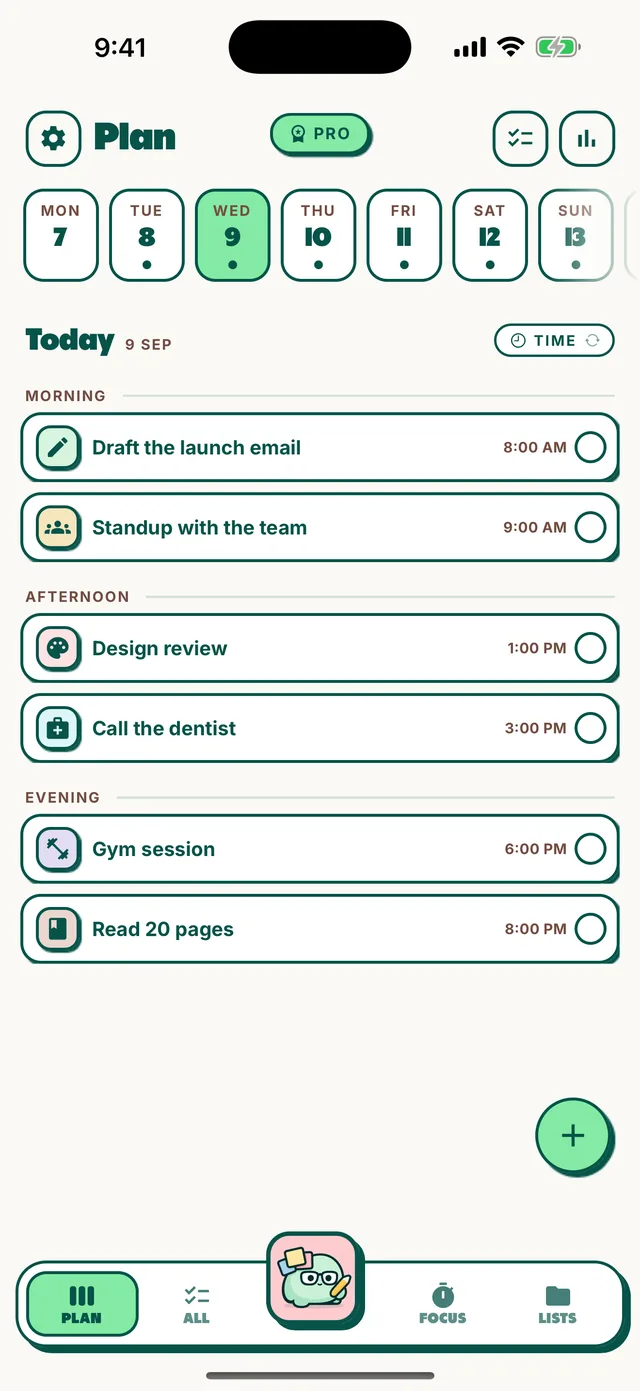


From noise to a plan
You don't have to be organised to start. That's the whole point.
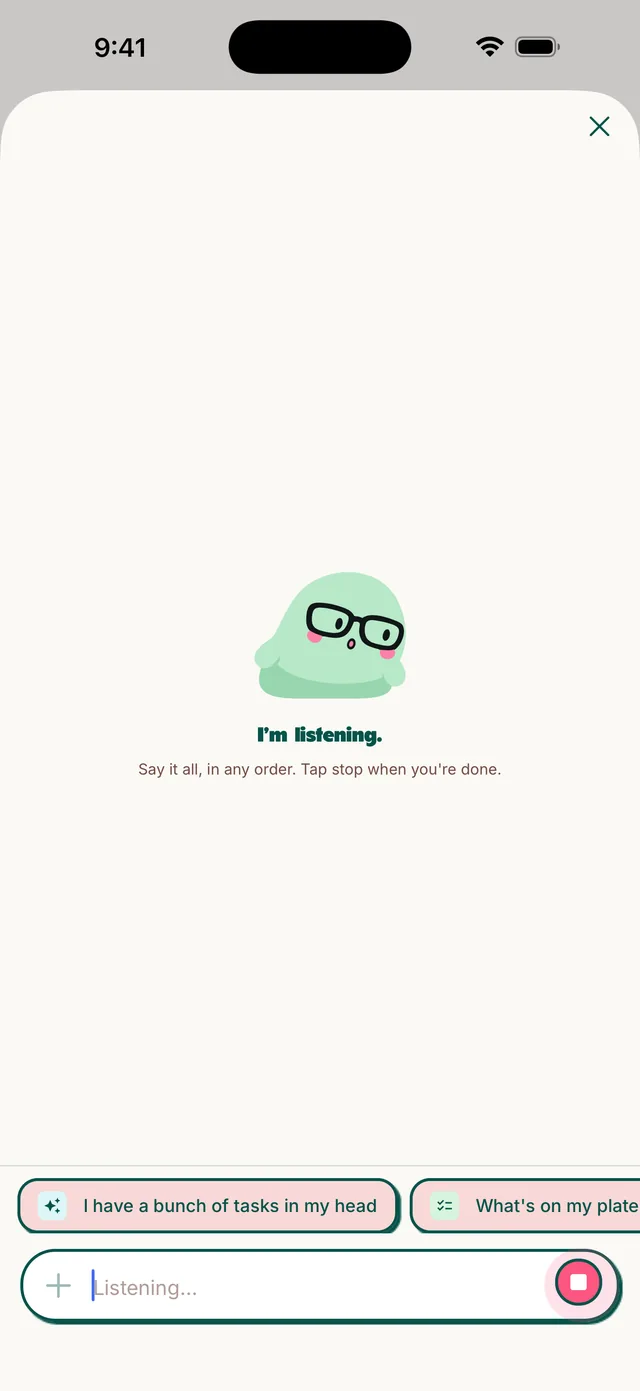
Get it out of your head
Talk for a minute, type a messy list, or take a photo of your sticky notes.
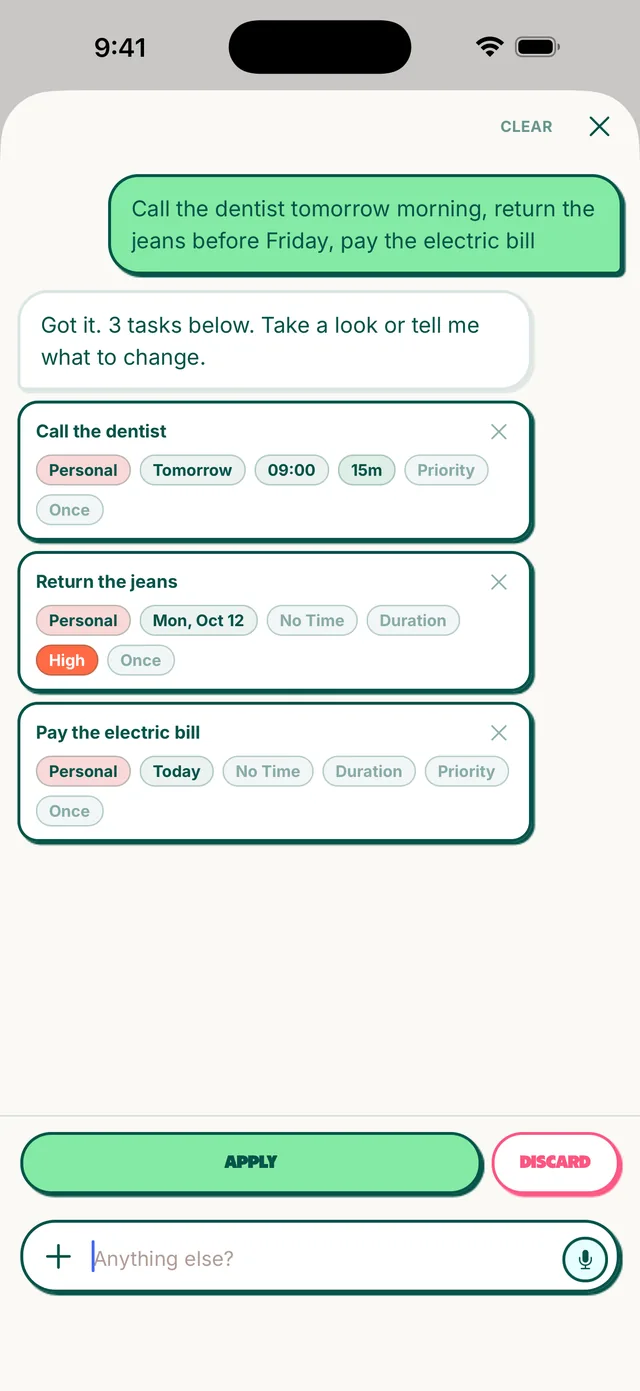
doot sorts it
Each task gets a day, a time and a list. You check it before anything is saved.
Do today, not everything
Your day lands in morning, afternoon and evening, so the next thing is always clear.
Made for the way your brain works
Less setting up, more getting started.
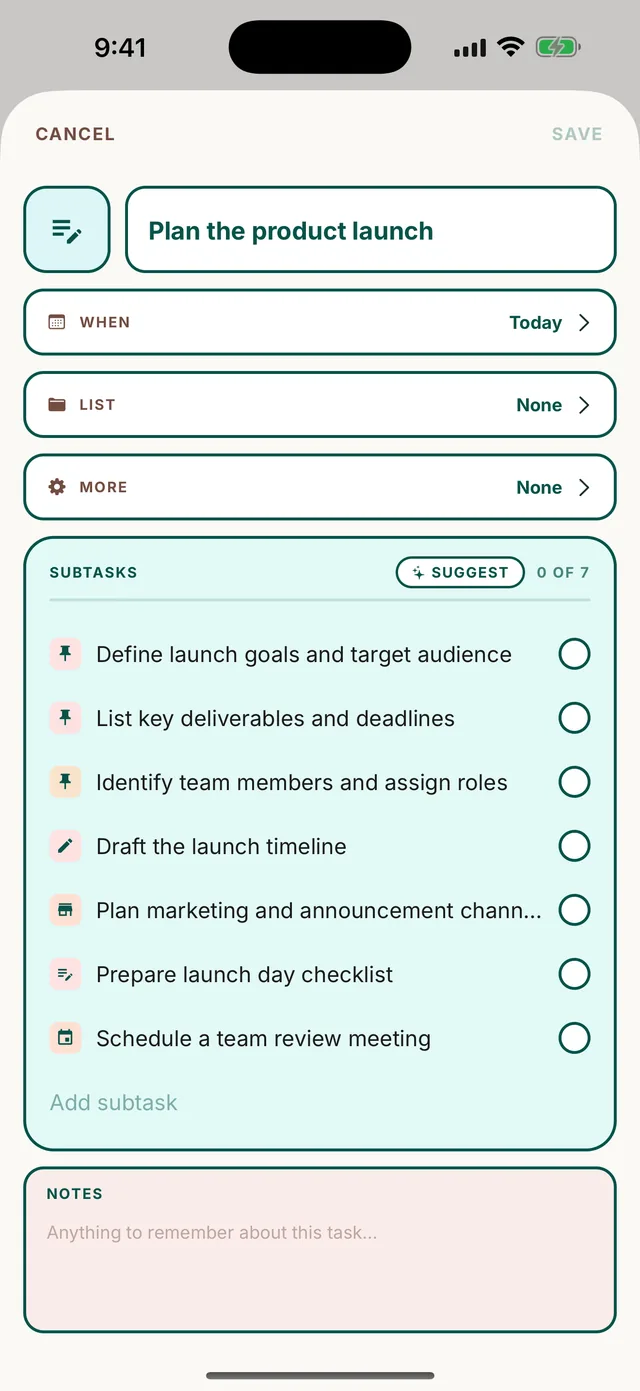
Stuck on a big one? Break it down.
Tap Suggest and doot splits the scary task into small steps you can start in the next five minutes.
- Steps you can tick off one by one
- The task closes itself when the last step is done
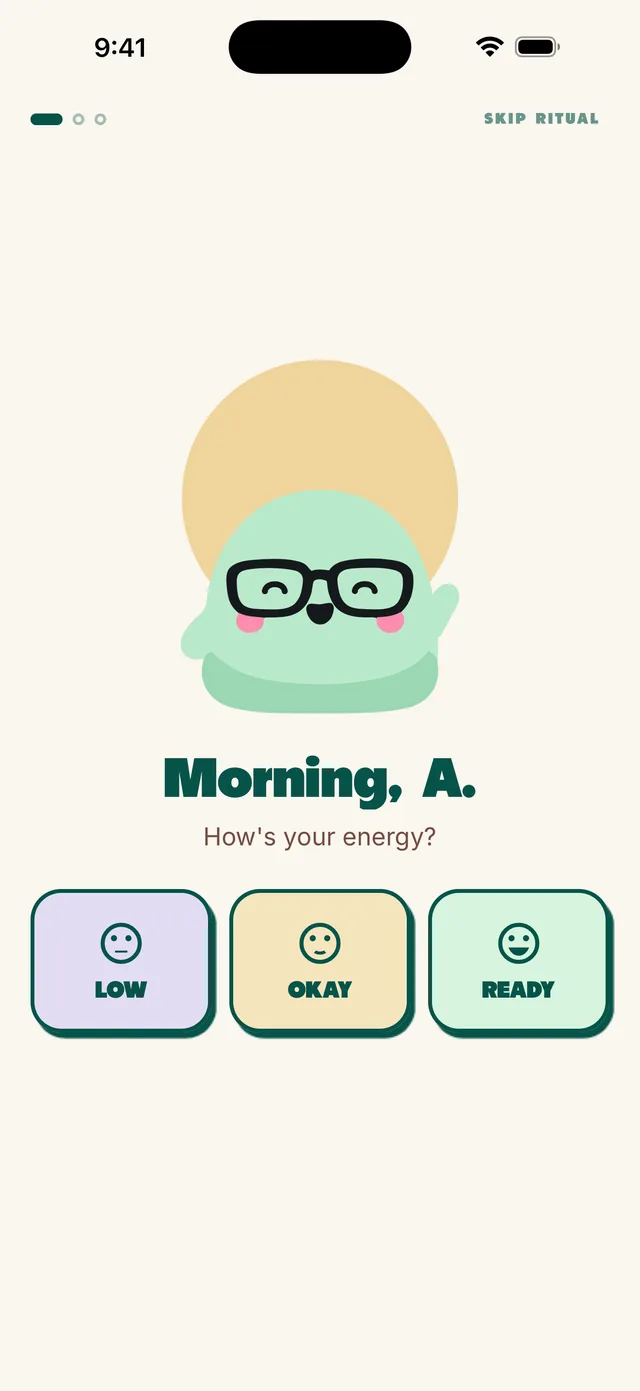
A day sized to your energy
Each morning doot asks how you feel. Low energy? It picks a smaller day. Then it gives you your 3 for today.
- Morning check-in and evening close
- A weekly look back at the good stuff
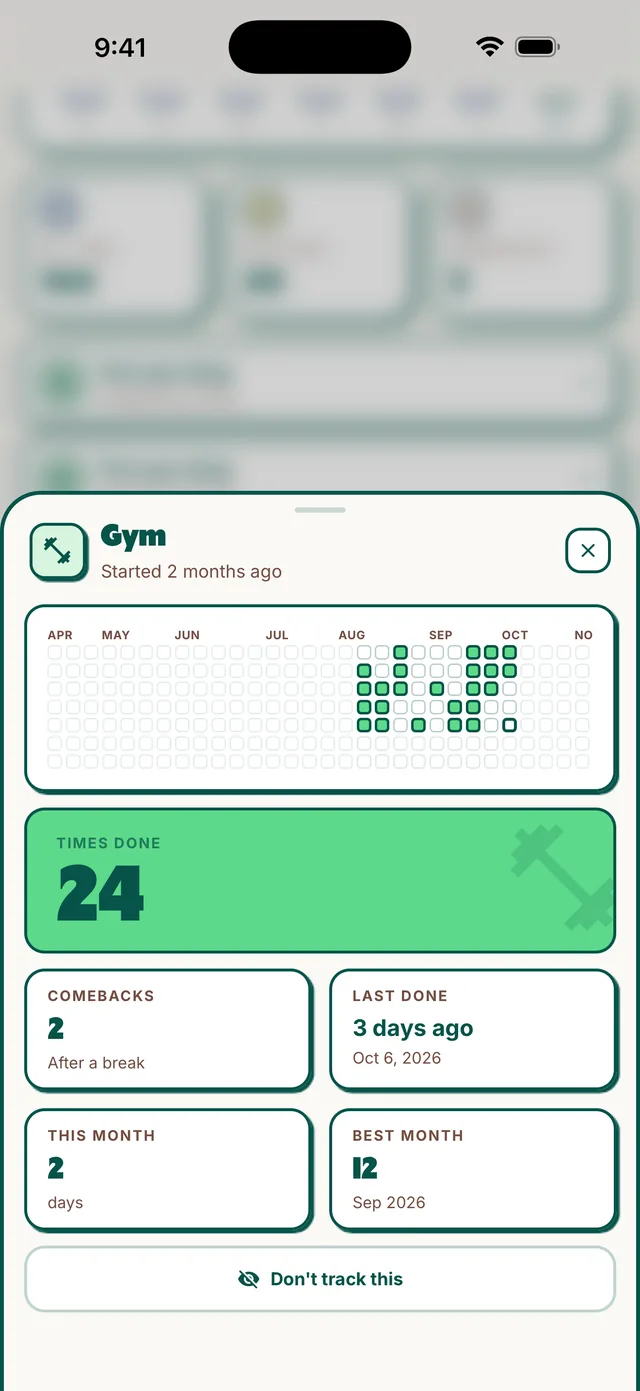
Routines that survive a bad week
Missed a few days? doot counts the days you came back, not the days you missed. No streak to lose.
- Morning and evening routines, ready to add
- A year of your routines at a glance
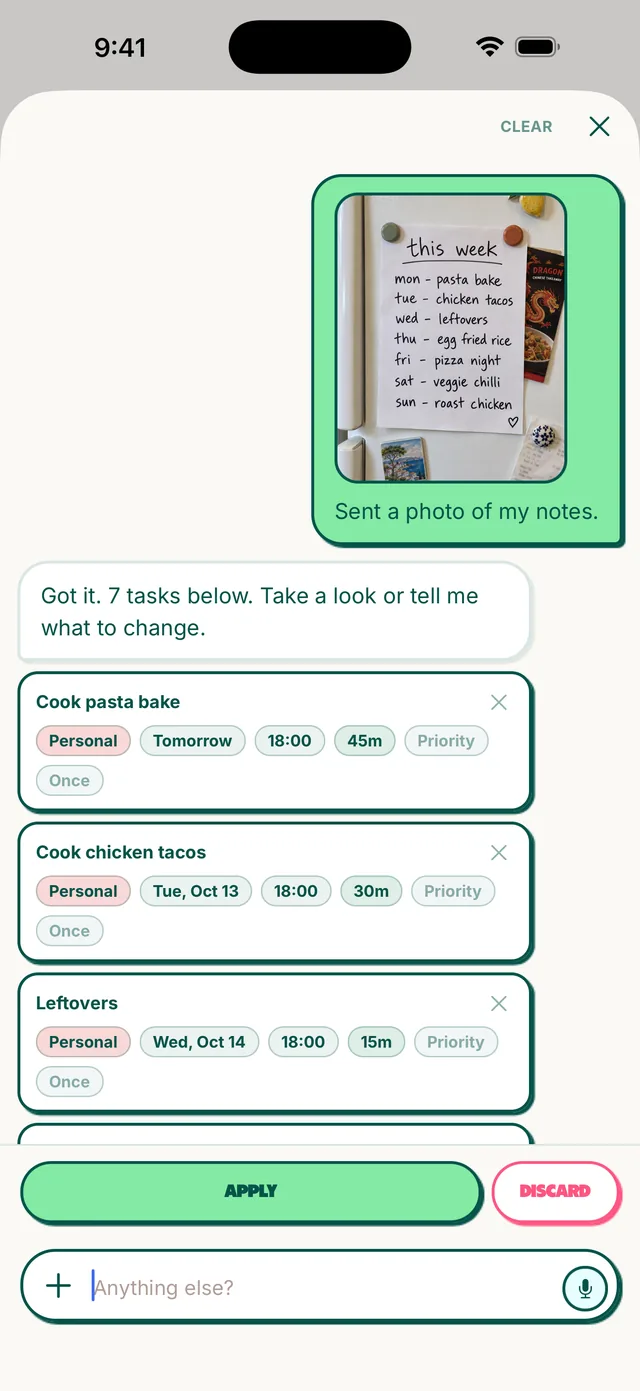
Snap the sticky notes
Take a photo of a notebook page, a whiteboard or a fridge list. doot reads it and turns it into tasks.
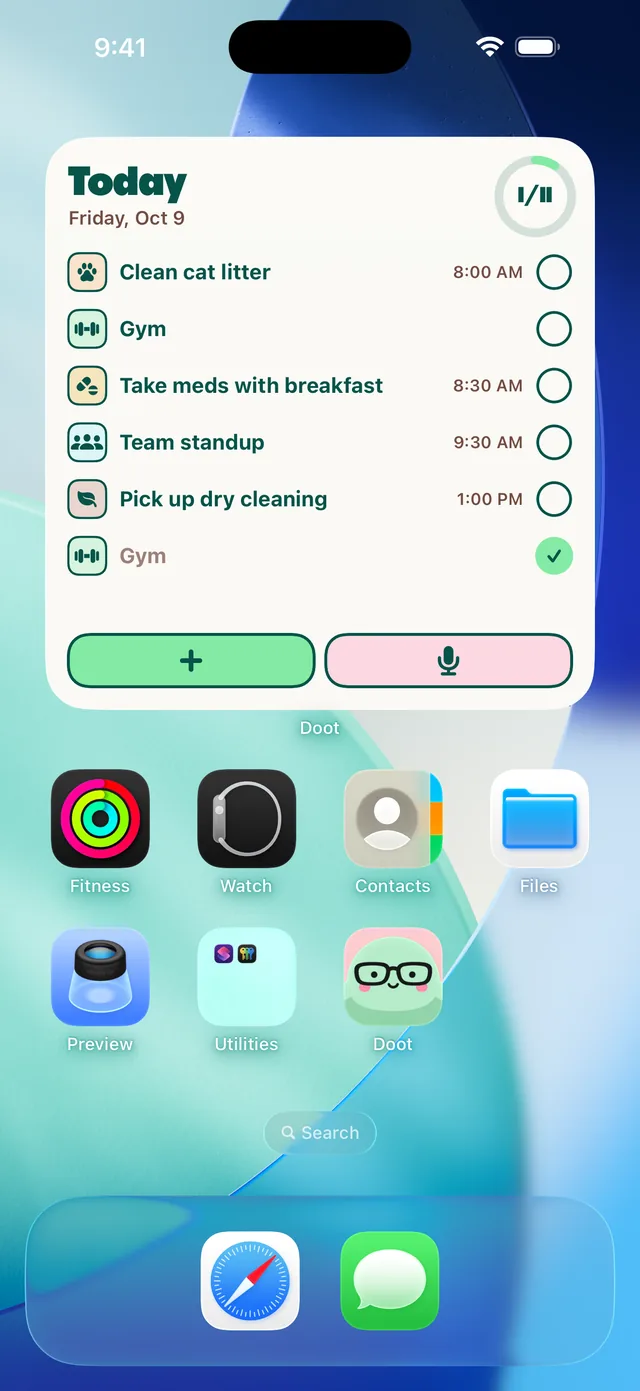
Today on your home screen
See what's next and tick it off from the widget, without opening the app.
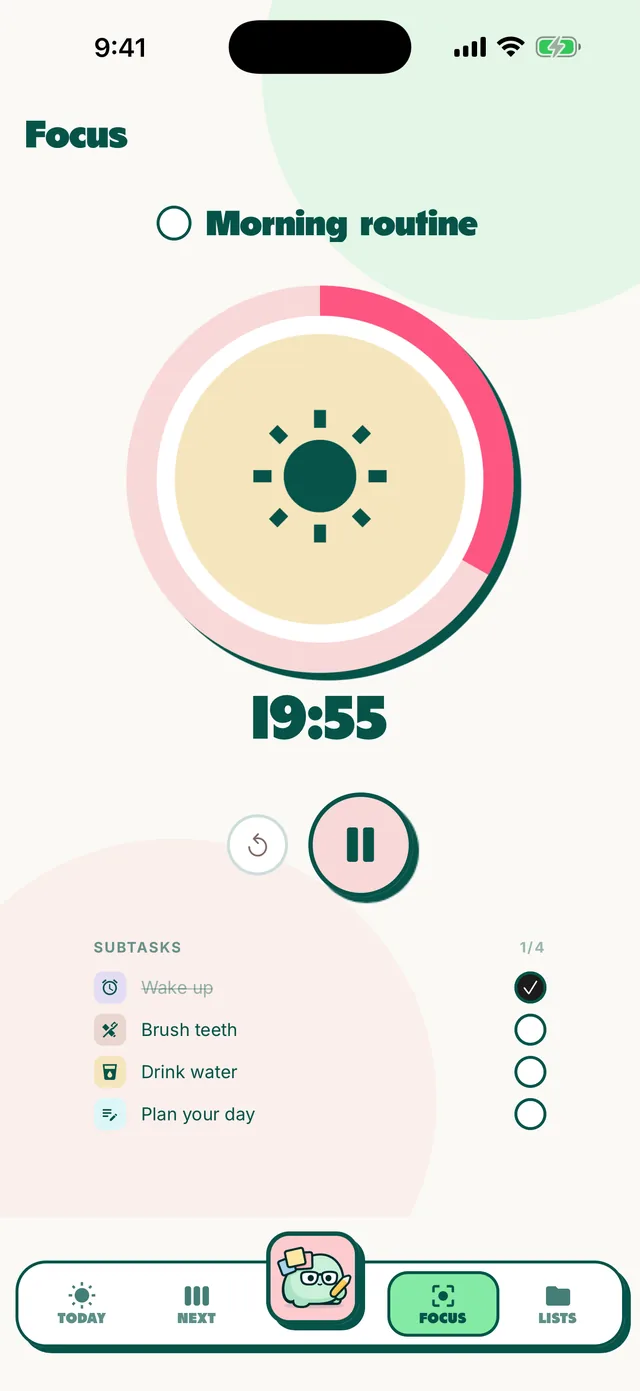
One thing at a time
Focus mode shows one task and a timer. Everything else waits.

A nudge, not a nag
Gentle reminders, and the app icon shows 3 when 3 tasks are left today.
Messy minds, sorted
Reviews from the App Store.
Finally found a planner I actually use
I can just speak whatever is on my mind and it turns those scattered thoughts into actual tasks.
Superb!!
Finally, a planner that actually gets how my brain works.
Easy to use
Adding them one by one in a planner feels like a chore. Definitely worth a shot.
An app I can rely on for my ADHD brain
The voice input is a game changer when typing feels like too much effort.
Questions
Is doot free? add
Is doot on Android? add
What makes doot different from other task apps? add
Do I have to be neurodivergent to use doot? add
Is my data private? add

Stop holding it all in your head
2pm overwhelm, 2am spirals, Tuesday afternoon lists. Put it all in doot.
Scan with your iPhone camera