
Most to do list templates fail the same way: they look great empty and fall apart by day three, because keeping them organized is its own task. This one is built to survive a bad week. It has five sections, takes about five minutes a day, and you can copy it into any notes app, a printed page, or a spreadsheet right now.
Below is the full template, why each section exists specifically for an ADHD brain, and how to run it daily. At the end, the honest version: even a good template is something you have to maintain, and that maintenance is exactly the kind of task ADHD brains drop first.
Copy this structure into whatever you use, a notes app, Google Doc, or plain paper.
```
DATE: ___________
BRAIN DUMP
(everything on your mind, no order, no editing)
-
-
-
-
-
TOP 3
(the only things that actually have to happen today)
1.
2.
3.
TIME ANCHORS
(the few things tied to an actual clock)
___:___ -
___:___ -
___:___ -
PARKING LOT
(real, but not today. review this weekly.)
-
-
-
DONE
(move it here the second it's finished)
-
-
```
That's the whole system. Nothing about it is clever. The value is in what each section is doing underneath.
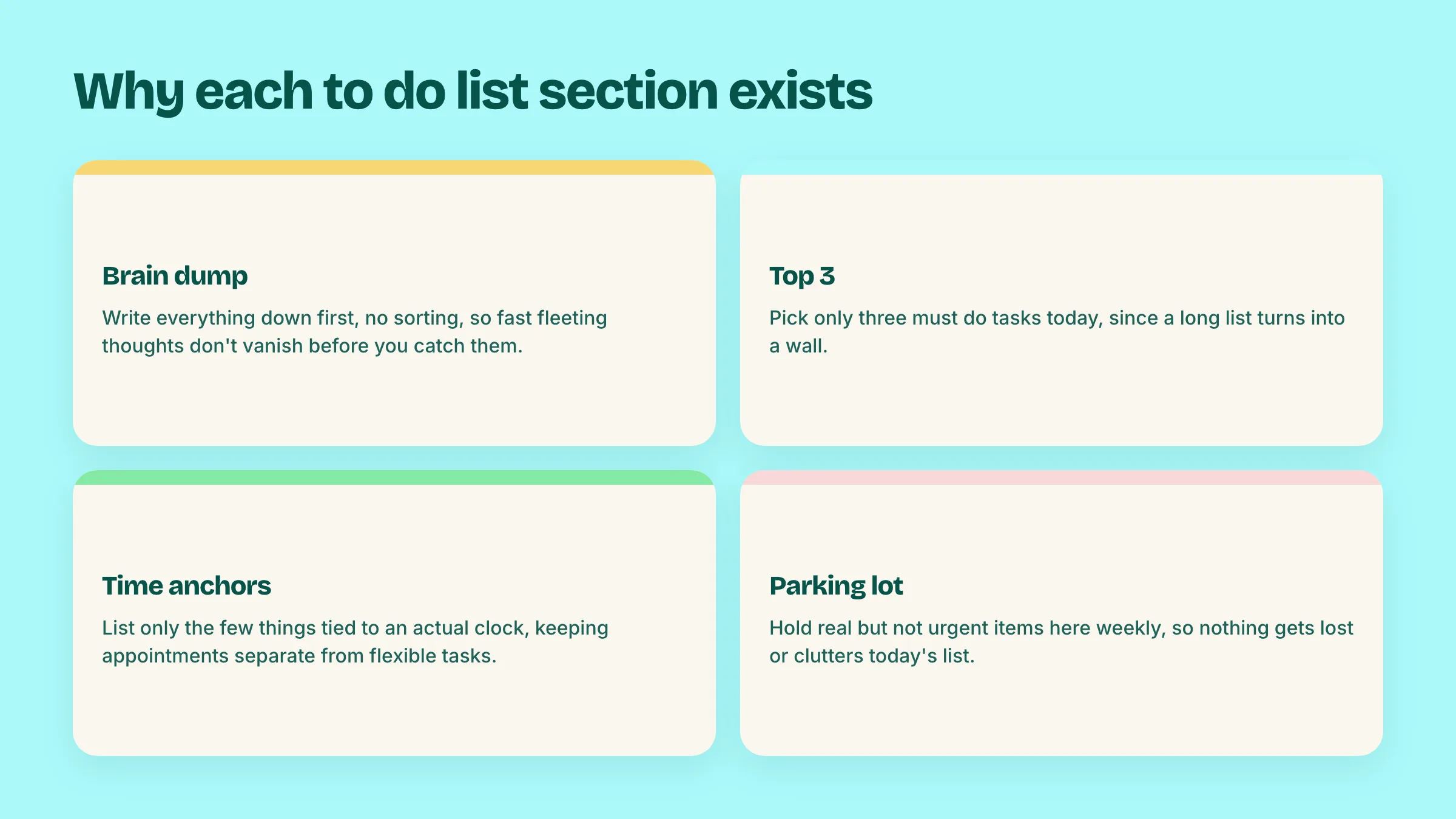
This is where everything goes first, tasks, half-formed worries, "email the landlord," "we're out of coffee," all of it, with zero sorting while you write. ADHD working memory drops things fast, and the moment you try to prioritize while capturing, you slow down enough that the next three thoughts vanish before you write them. Dump first, judge later. This section exists to get everything out of your head before your brain decides what matters, because that decision is exhausting and doesn't need to happen yet.
A to do list with twenty items on it is not a plan, it's a wall. ADHD brains struggle with prioritizing among many open options (this is sometimes called task paralysis), so the fix is mechanical: force yourself to pick exactly three things from the brain dump that must happen today. Not "should." Must. Everything else waits. Three is small enough to actually finish and see progress, which matters more for ADHD motivation than any amount of list length.
Most of your day doesn't have a fixed time. A few things do: a meeting at 2, picking up a kid at 3:30, a call at 11. Write only those here. This section exists to stop the events vs. tasks confusion that wrecks most planners: if you cram every to do into a time slot to feel official, the first delay knocks the whole day sideways. Time anchors are the few real appointments. Everything else stays flexible in the Top 3 and Brain Dump.
Some items from the brain dump are real but not urgent: "look into switching banks," "research that supplement," "eventually reorganize the garage." These don't belong in today's Top 3, but they shouldn't vanish either, because ADHD brains lose untracked items permanently, not temporarily. The parking lot is a holding pen you review once a week, so nothing gets abandoned, but nothing clutters today either.
The most skipped section, and the one that matters most for ADHD motivation. Move finished items here instead of just deleting them. At the end of a rough day when it feels like nothing happened, this list is the proof that something did. It's a small thing that does a lot for the guilt spiral ADHD brains are prone to at 9pm.
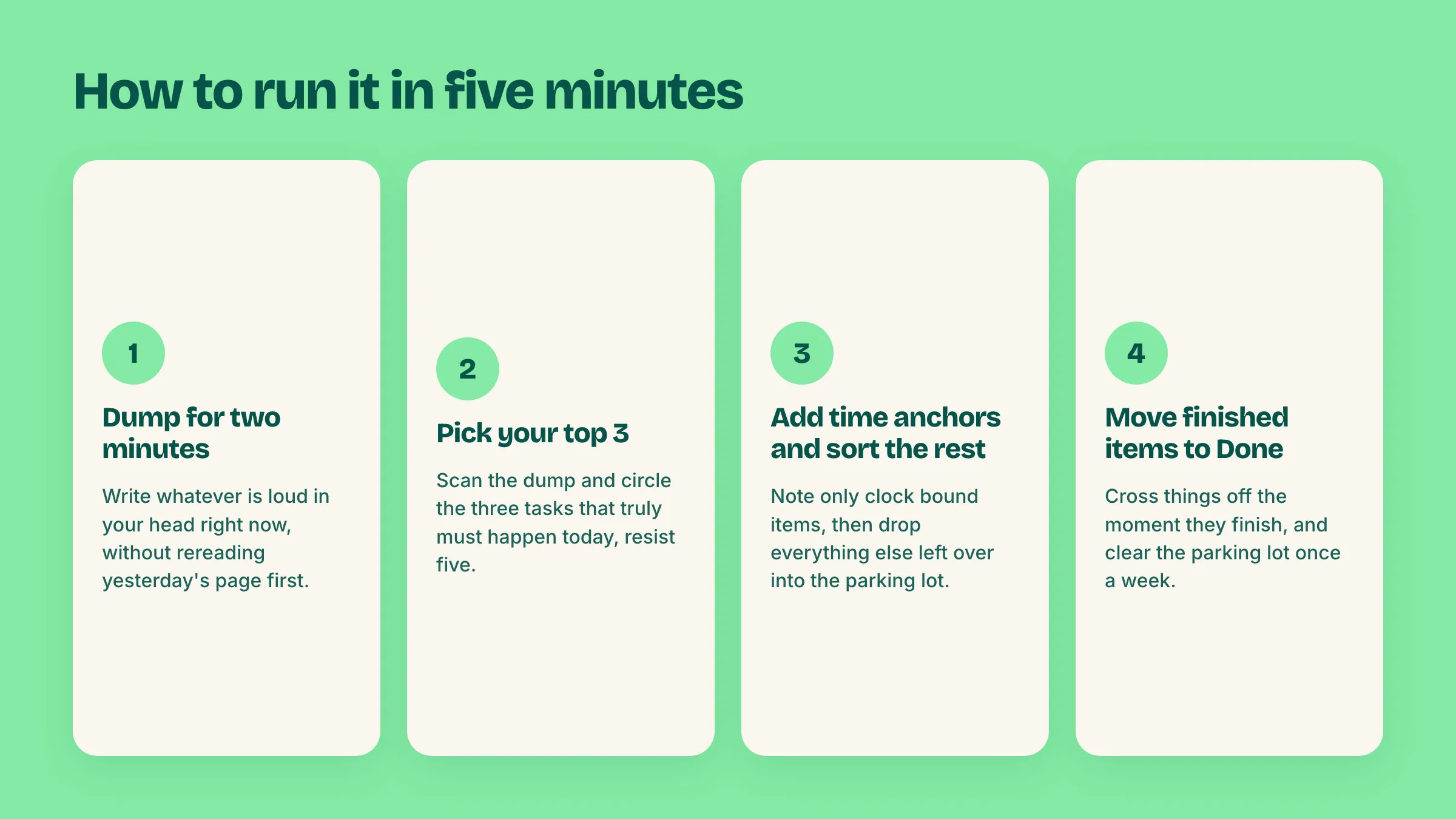
1. Morning: dump for two minutes. Don't reread yesterday's page first. Just write whatever's loud in your head right now.
2. Pick your Top 3. Scan the dump, circle or rewrite the three that must happen today. Resist the urge to pick five.
3. Add time anchors. Only the things with an actual clock time. If nothing has a fixed time today, leave it blank.
4. Sort the rest into the parking lot. Everything left in the brain dump that isn't today's problem goes here, not the trash.
5. Cross off and move to Done as you go. Don't wait until end of day to update it. The moment something's finished, move it.
6. Once a week, clear the parking lot. Anything still sitting there after a week either gets scheduled, deleted, or honestly admitted as something you're never going to do. All three are fine outcomes.
That's the entire daily loop. Five minutes to set up, seconds to update through the day.
Printable version: Print the template as-is on a single sheet and keep it on your desk or in a planner. A physical to do list for ADHD works well if you're someone who loses momentum staring at a screen; the act of writing by hand also slows you down just enough to actually think about the Top 3 instead of listing everything.
Digital version: Paste the structure into Notes, Google Keep, a Google Doc, or a Notion page. A digital version is easier to duplicate daily (copy yesterday's page, clear it, go) and easier to search later if you need to remember when you did something.
Spreadsheet version: If you want the Done list to double as a record, put this in a Google Sheet with a new row per day. It's slower to fill in during the day but useful if you like seeing a running history.
None of these variants fix the actual weakness of a template: it only works as well as you maintain it.
Here's the part most template posts skip. A to do list template for ADHD, even a good one like this, requires you to do three things every single day: transcribe your brain dump into categories, decide what counts as a Top 3, and remember to move things to Done. On a good day that's five minutes. On a bad day, the day you actually need the system most, it's the first thing that gets skipped, and a half filled out template is worse than no template, because now you've also got a messy page nagging at you.
That's not a personal failure. It's the honest limit of any static template, paper or digital. The categorizing step is executive function work, and ADHD makes exactly that step harder, at exactly the moments you need it most.
This is the actual gap Doot is built to close. Instead of you sorting a brain dump into Top 3, time anchors, and a parking lot by hand, you dump your day in plain English, typed or spoken, the same messy way it sits in your head: "finish the deck by thursday, call the dentist, pick up dry cleaning, look into switching banks sometime." Doot reads that and automatically:
- Splits it into separate tasks
- Gives each one a real due date from plain language ("thursday," "sometime")
- Groups and ranks them by priority, so your highest priority items behave like a Top 3 without you manually picking them
- Keeps the someday items visible as low priority instead of a separate list you have to remember to check
You still get every part of this template, the dump, the priorities, the parking lot equivalent, the sense of progress. You just stop being the one doing the sorting. If you've made it this far still planning to build this in a spreadsheet, that's genuinely fine, plenty of people run this exact system by hand for years. But if the maintenance is the part that keeps breaking down, that's the specific problem Doot solves.
For a deeper look at why a calendar alone can't hold this kind of list either, see our guide to ADHD calendar setups: the short version is that time anchors belong on a calendar, and everything else, the Top 3, the parking lot, the actual to do list, belongs somewhere that carries its own dates without needing a time slot.
Try Doot free and see what it feels like when the sorting happens automatically.
Doot does the sorting for you: dump your day in plain English, get back real tasks with dates and priorities.
Try free for 14 daysarrow_forward