
You bought the planner, filled in the first week with real intent, and by Thursday it had become a record of everything you didn't get to. That isn't a discipline problem, and a prettier planner won't fix it.
Planners for executive functioning are planners built around the skills that make planning hard in the first place: getting started, holding several things in mind, judging time, and choosing what comes first. Instead of handing you a blank page and expecting you to do that work, they take some of it off you.
Most planners are designed for someone whose planning already works. They give that person a nicer place to write it down. If your trouble starts before the writing, you need a planner that helps with the part before the page.
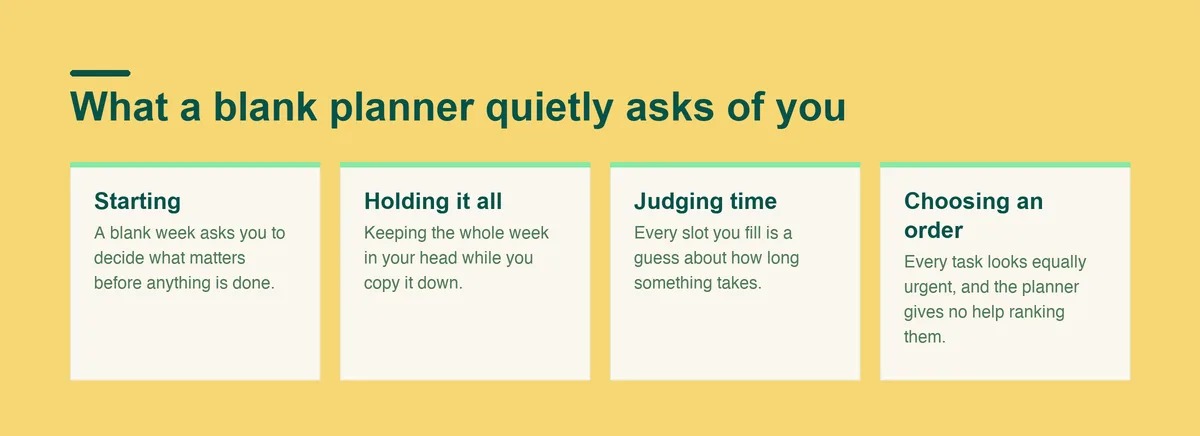
A standard weekly spread looks simple. Look closer and every empty box is quietly asking you to do something your brain finds expensive.
So the planner isn't neutral. It's a test of executive function that you retake every Sunday, and the pages you abandon feel like the grade. The fix is a planner that does less asking and more carrying.
You sit down on Sunday evening, color code the week, and feel calm for the first time in days. Monday goes to plan. By Wednesday something runs long, the plan is out of date, and updating it feels like more work than the tasks themselves. So you stop opening it.
Or you keep a running to do list instead. It grows every day, nothing ever comes off it, and each time you look at it you spend a while deciding where to begin, then close the app.
Some people swing between systems. A paper planner for a month, a digital one after that, then back to sticky notes, each new setup promising that this time the structure will hold.
If these sound familiar, the pattern has a name. The guide to executive dysfunction explains what's going on underneath. The short version for planning is that the planner keeps asking for the exact skills that are already stretched.
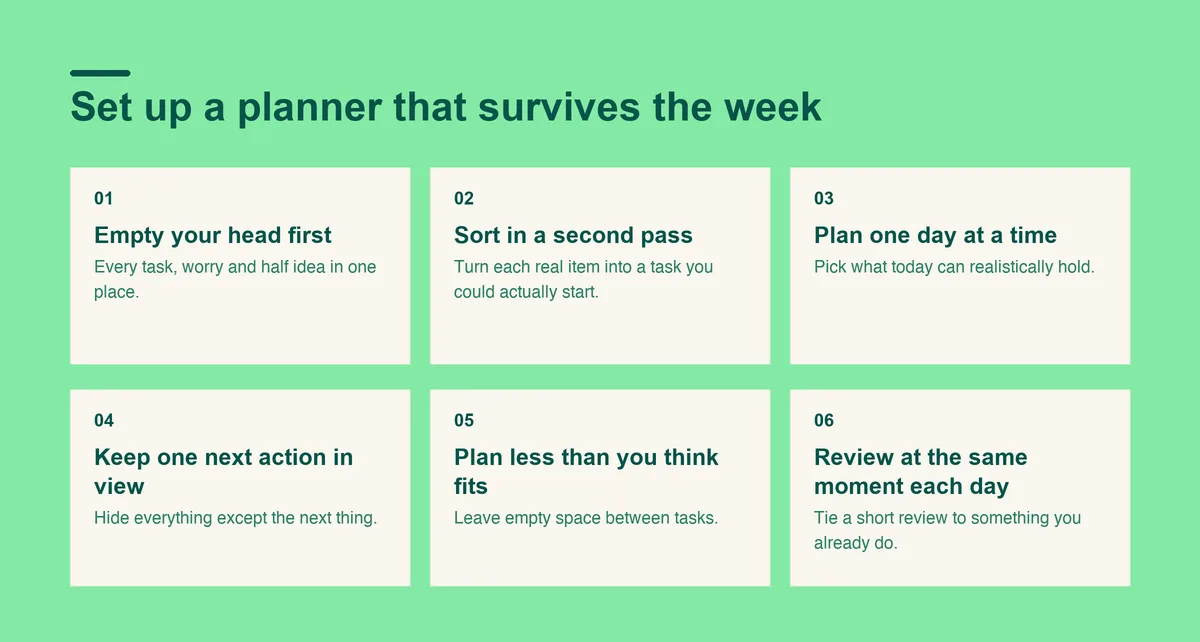
The steps below work with a notebook, a printed template or an app. What matters is the order: capture first, sort second, and keep the view small.
Write down every task, worry and half idea in one place, in whatever order they come out. Don't sort, date or tidy anything while you do it.
Planning from memory is the step most setups skip, and it's the reason plans come out incomplete. A full list on the page means your working memory stops juggling and starts choosing.
Go back through the list and turn each real item into a task you could actually start. "Taxes" becomes "find last year's tax form." Items that aren't tasks, like worries or ideas, can move to a separate note.
Sorting is the slowest part of planning, and it's where an executive functioning planner earns its place, either by making the sorting easier or by doing it for you.
A week-long plan breaks the first time a day goes sideways, and a broken plan is easy to abandon. Pick what today can realistically hold and leave the rest on the list, where it stays safe until tomorrow's review.
A single day is also a smaller decision. You're choosing from what's in front of you, instead of predicting how you'll feel on Friday.
Hide everything except the next thing. A single visible task is much easier to start than a list, because it removes the choosing. On paper, that can be a sticky note on the front of the planner. In an app, it's a view that shows what's next and nothing else.
When the task is done, the next one takes its place, and you never have to look at the whole day again unless you want to.
Leave empty space between tasks. The gaps absorb the calls, the transitions and the task that takes longer than you guessed, so the plan survives the afternoon. A plan with room in it gets finished, and finishing is what makes you open the planner again the next day.
Tie a short review to something you already do, like making coffee or shutting the laptop. Move what didn't happen, cross out what did, and pick tomorrow's first task.
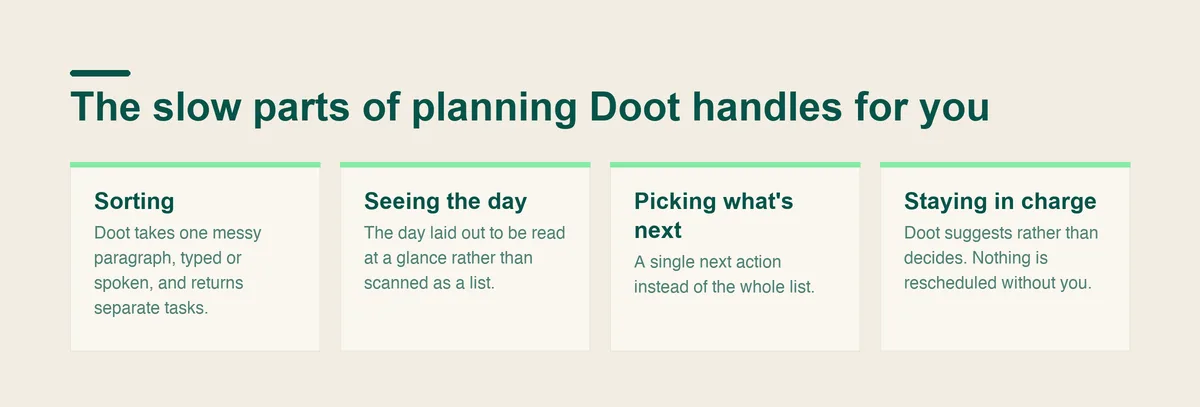
Step 2 is the one that quietly kills most planners. Getting thoughts out of your head is easy enough. Turning a messy pile into separate, startable tasks is sorting homework, and it's exactly the kind of work that stalls when executive function is stretched.
Sorting homework is the job Doot was built for. The steps above still apply, with the slow parts handled for you:
If you'd rather stay on paper, keep the same order and give the sorting pass its own time slot, separate from the dump. Doing both in one sitting is where most paper systems stall.
A planner helps when the trouble is organizing what you already intend to do. It can't fix a plate that is simply too full. If every plan fails because there's more work than hours, the honest move is to drop commitments, not to plan them more cleverly.
A planner also won't touch sleep, low mood or stress that makes everything feel impossible. And if trouble with planning is new, getting worse, or affecting your work or relationships, talk to a doctor. A planner can sit alongside that conversation. It isn't a substitute for it.
Open Doot, type or speak everything on your mind, and get back separate tasks with one next action in view.
Try it free on the webarrow_forward